
Buying Bitcoin for the first time can feel harder than it should. You have to pick an exchange, understand the fees, verify who you are, and then work out how to store your coins. The good news is that Binance.US makes most of this manageable, even for beginners.
This guide covers the whole process from start to finish: whether you can use Binance.US in your state, what it costs, which payment method to choose, and how to buy Bitcoin step by step. By the end, you’ll know how to make your first purchase without paying more than you need to.
What Is Binance.US?
Binance.US is the American arm of the Binance brand. It runs separately from the global Binance exchange and is built for customers in the United States. It is registered with FinCEN as a Money Services Business, and it holds money transmitter licenses in the states where it operates.
The platform lets you buy, sell, convert, and trade a wide range of cryptocurrencies, and Bitcoin is its most popular asset. It’s best known for low trading fees, especially on its Advanced Trading interface, where maker orders on most pairs cost nothing.
In May 2025 the SEC dismissed its lawsuit against Binance, which ended a long period of regulatory uncertainty. Binance.US restored USD deposits and withdrawals through ACH in early 2025, so American users can once again fund their accounts directly from a bank.
Is Binance.US Available in Your State?
Check this before anything else. Binance.US is not available everywhere in the U.S., and a few states only get crypto-only access.
| Access Level | States and Territories |
|---|---|
| Not supported | Alaska, Connecticut, Georgia, Maine, New York, North Carolina, North Dakota, Ohio, Oregon, Texas, Vermont, Washington, American Samoa, Guam, Northern Mariana Islands, U.S. Virgin Islands |
| Crypto-only (no USD deposits) | Kansas, Wisconsin |
| Full access (USD and crypto) | All other U.S. states |
Based on the Binance.US Help Center list updated June 2026. State availability changes, so check the official list before you sign up.
If you live in Kansas or Wisconsin, you can still hold and trade Bitcoin on Binance.US. You just can’t link a bank account or deposit dollars, so you’ll need to send crypto from another wallet or exchange first.
What You Need Before You Start
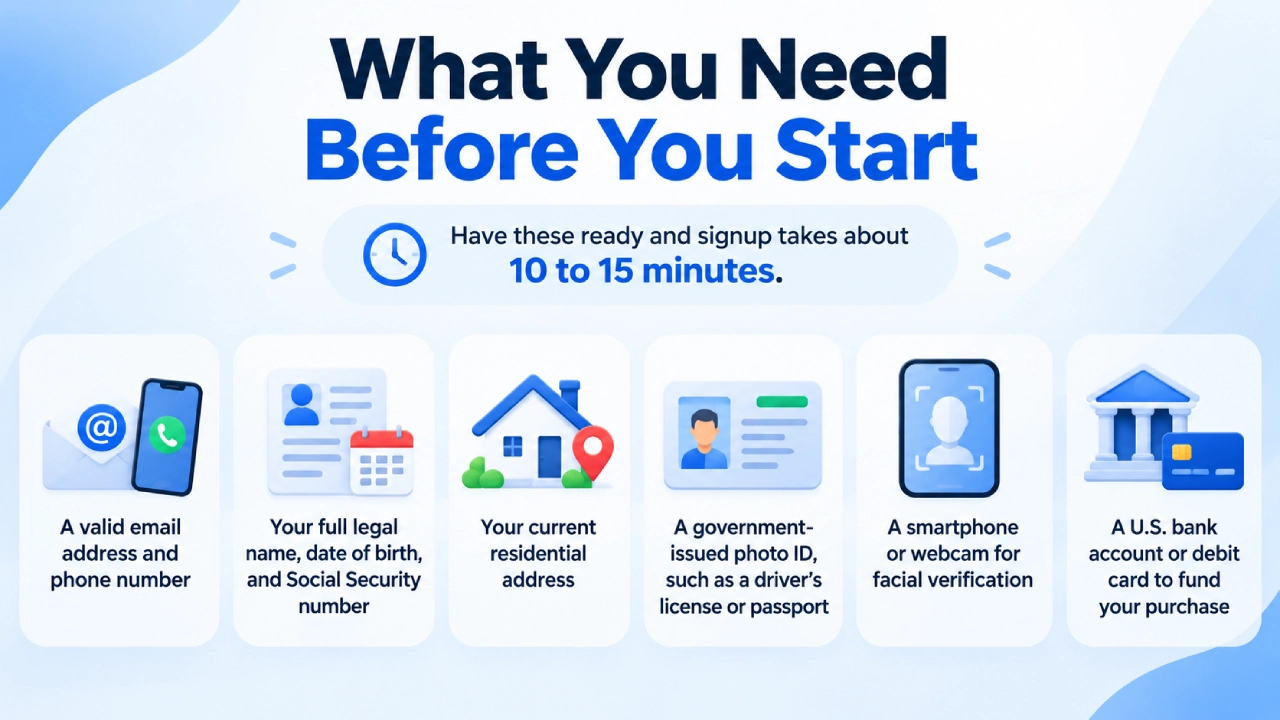
Have these ready and signup takes about 10 to 15 minutes:
- A valid email address and phone number
- Your full legal name, date of birth, and Social Security number
- Your current residential address
- A government-issued photo ID, such as a driver’s license or passport
- A smartphone or webcam for facial verification
- A U.S. bank account or debit card to fund your purchase
Binance.US Fees Explained
Fees are where many new buyers lose money without noticing. Binance.US offers more than one way to buy Bitcoin, and the costs are quite different.
Trading and Purchase Fees
| Buying Method | Fee Structure | Best For |
|---|---|---|
| Basic Buy/Sell/Convert | Spread built into the quoted price | Beginners who want simplicity |
| Advanced Trading (Maker order) | 0% | Users who place limit orders |
| Advanced Trading (Taker order) | 0.02% (0.01% at very high volume) | Users who want instant execution at low cost |
| BNB fee payment | 5% discount on trading fees | Frequent traders holding BNB |
The Basic buy option doesn’t show a separate fee, but you pay a spread, meaning the price you get is slightly worse than the market price. For small, occasional purchases that’s fine. If you plan to buy regularly or in larger amounts, learning Advanced Trading can save you a real amount over time.
Deposit and Withdrawal Fees
| Transaction Type | Deposit Fee | Withdrawal Fee |
|---|---|---|
| ACH bank transfer | Free | Free |
| Wire transfer | Free (your bank may charge) | $25 plus bank fees |
| Debit or credit card | 3.99% | Not available |
| Cryptocurrency (including BTC) | Free | Varies with network conditions |
The takeaway: ACH is the cheapest way to fund your account. A debit card is faster, but a 3.99% fee on a $500 purchase costs you almost $20 before you’ve bought anything.
Choosing the Right Payment Method
Each funding option has trade-offs. Here’s how they compare.
| Payment Method | Speed | Cost | Things to Know |
|---|---|---|---|
| ACH transfer | 1 to 5 business days to settle | Free | 168-hour (7-day) withdrawal hold on new deposits |
| Wire transfer | Same or next business day | Free to deposit | Good for larger amounts |
| Debit/credit card | Instant | 3.99% | Most convenient, most expensive |
| Crypto transfer | Minutes to an hour | Network fee only | Only option in crypto-only states |
Two ACH details surprise new users. First, Binance.US applies a 7-day withdrawal hold to newly deposited funds. You can buy Bitcoin with that money right away, but you can’t move the Bitcoin off the platform or withdraw cash until the hold ends. Second, Binance.US may check that your linked bank account holds more than the amount you’re depositing, roughly 130% of it, so a $100 deposit needs about $130 available.
How to Buy Bitcoin on Binance.US Step by Step
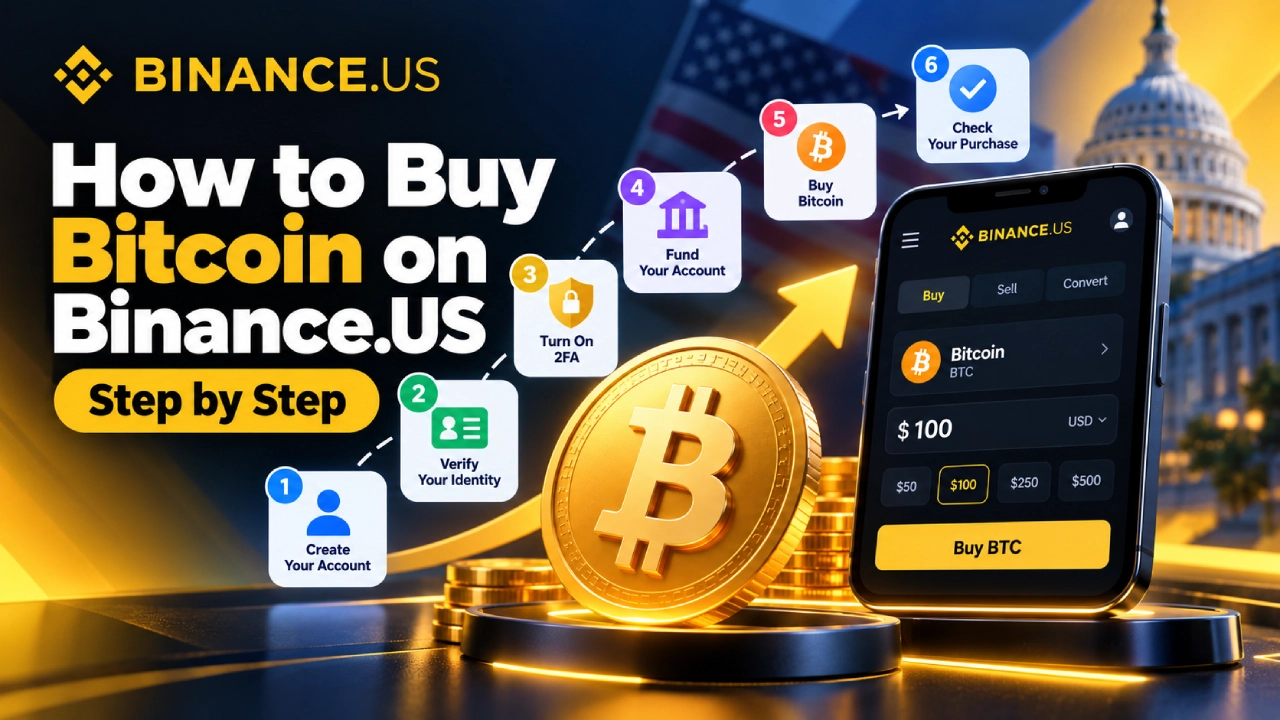
Now for the main part. Follow these steps to go from no account to owning Bitcoin.
Step 1: Create Your Account
Go to the official Binance.US website or download the Binance.US app from the Apple App Store or Google Play. Tap Sign Up, enter your email, and create a strong password. Binance.US will email you a verification code to confirm your address.
Always type the URL yourself or use the official app store listing. Phishing sites that copy crypto exchanges are common.
Step 2: Verify Your Identity
Federal rules require every U.S. exchange to verify its customers. Binance.US has two verification levels:
| Verification Level | Information Required | What It Unlocks |
|---|---|---|
| Basic | Legal name, date of birth, SSN, home address | Core buying, selling, and trading |
| Advanced | Everything above plus photo ID and face scan | Higher limits and extra features such as OTC trading |
Approval usually takes anywhere from a few minutes to a day. Make sure the name you enter matches your ID exactly, because mismatches are the most common reason verification gets delayed.
Step 3: Turn On Two-Factor Authentication
Before you add money, secure your account. Go to Settings > Security and turn on two-factor authentication (2FA). An authenticator app such as Google Authenticator or Authy is safer than SMS codes, since SMS can be hijacked through SIM-swap attacks.
While you’re there, turn on withdrawal address allowlisting. With it enabled, your crypto can only be sent to wallet addresses you’ve approved ahead of time.
Step 4: Fund Your Account
Tap Deposit, choose USD, and pick your method:
- For ACH: Link your bank through the secure connection prompt, enter the amount, and confirm.
- For a wire: Copy the wire instructions Binance.US gives you, including the reference code, and send the transfer from your bank.
- For a debit card: You can usually skip depositing and pay with your card directly during checkout.
Step 5: Buy Bitcoin
You can buy in two ways, depending on how comfortable you are.
Option A: The Simple Way (Basic Buy)
- Tap Buy & Sell on the home screen.
- Select Bitcoin (BTC).
- Enter the amount in dollars you want to spend.
- Choose your payment source (USD balance or card).
- Review the quote, then tap Buy.
The quote is locked for a short time, so confirm quickly or refresh for a new price.
Option B: The Lower-Cost Way (Advanced Trading)
- Switch to Advanced Trading (called Pro mode in some app versions).
- Search for the BTC/USD trading pair.
- Choose Limit to set your own price, or Market to buy immediately at the current price.
- Enter the amount of BTC or USD.
- Tap Buy BTC to place your order.
A limit order placed slightly below the current price counts as a maker order and costs 0% in trading fees. The trade-off is that it only fills if the price reaches your level.
Step 6: Check Your Purchase
After the order fills, your Bitcoin appears in your Wallet under Spot balances. You’ll also get a confirmation in your order history. Congratulations, you now own Bitcoin.
Basic Buy vs. Advanced Trading: Which Should You Use?
| Feature | Basic Buy | Advanced Trading |
|---|---|---|
| Ease of use | Very easy | Takes some learning |
| Cost | Spread included in price | 0% to 0.02% |
| Price control | Accept the quoted price | Set your own price with limit orders |
| Charts and tools | None | Full charts and order book |
| Ideal user | First-time buyers | Regular buyers and traders |
A sensible approach for many people is to make the first purchase with Basic Buy to get a feel for the platform, then move to Advanced Trading once they’re comfortable. The interface looks busier, but placing a basic limit order takes only a few taps.
Should You Keep Your Bitcoin on Binance.US?
After buying, decide where your Bitcoin will live. You have two main choices.
Keeping it on the exchange is convenient. You can sell quickly, and Binance.US uses security measures such as 2FA, allowlisting, and SOC 2 Type II audited controls. Still, you don’t hold the private keys, so you depend on the platform’s security and solvency.
Moving it to a personal wallet gives you full control. A hardware wallet keeps your private keys offline, which is the strongest protection for long-term holdings. Crypto users often say “not your keys, not your coins” for this reason.
| Storage Option | Control | Security | Convenience |
|---|---|---|---|
| Binance.US wallet | Exchange holds keys | Good, relies on platform | Very high |
| Mobile software wallet | You hold keys | Moderate | High |
| Hardware wallet | You hold keys | Very high | Moderate |
Many people split it: they keep a small amount on the exchange for trading and move long-term savings to a hardware wallet. Remember the 7-day hold if you funded with ACH, since you won’t be able to withdraw your BTC until it ends.
How to Withdraw Bitcoin to Your Own Wallet
- Open your wallet app and copy your Bitcoin receiving address.
- In Binance.US, go to Wallet > Withdraw and select BTC.
- Paste your address and double-check the first and last few characters.
- Choose the correct network (the Bitcoin network for BTC).
- Enter the amount, review the network fee, and confirm with 2FA.
Send a small test amount first if this is your first withdrawal. Crypto transactions can’t be reversed, so a mistyped address means the funds are gone.
Tips to Save Money and Stay Safe
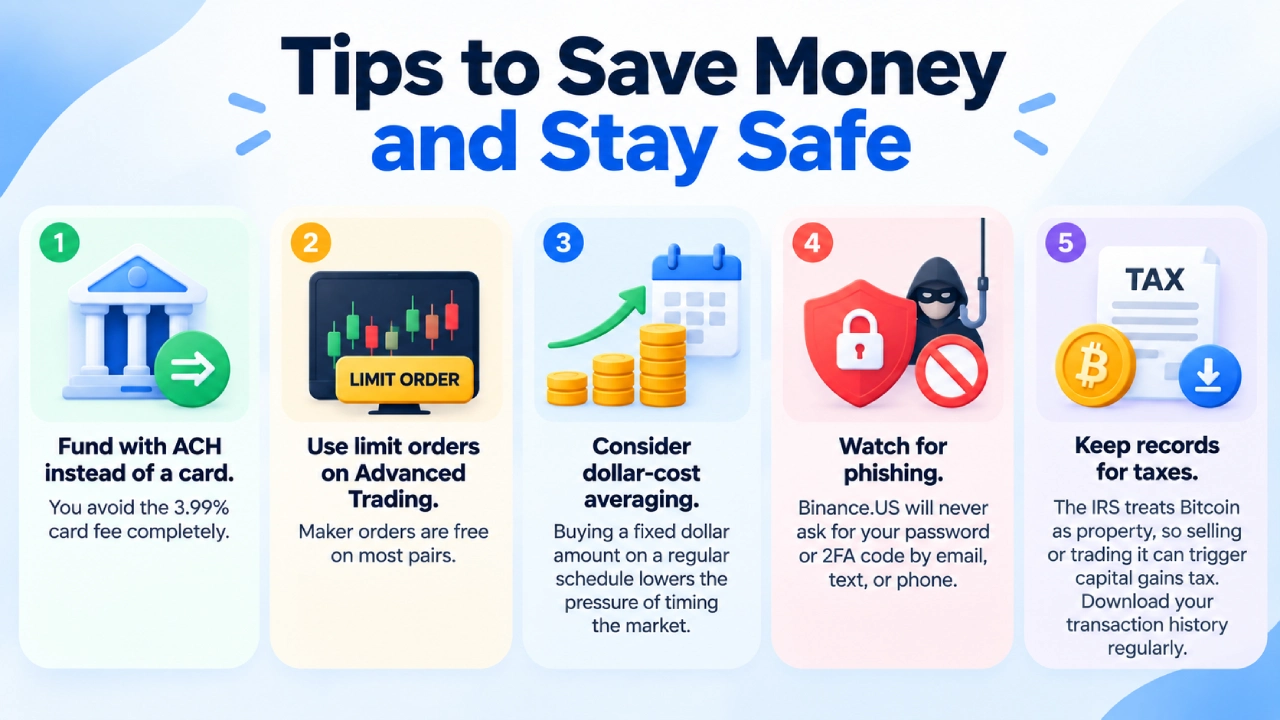
- Fund with ACH instead of a card. You avoid the 3.99% card fee completely.
- Use limit orders on Advanced Trading. Maker orders are free on most pairs.
- Consider dollar-cost averaging. Buying a fixed dollar amount on a regular schedule lowers the pressure of timing the market.
- Watch for phishing. Binance.US will never ask for your password or 2FA code by email, text, or phone.
- Keep records for taxes. The IRS treats Bitcoin as property, so selling or trading it can trigger capital gains tax. Download your transaction history regularly.
Common Problems and How to Fix Them
| Problem | Likely Cause | What to Do |
|---|---|---|
| Verification is stuck | Name or address doesn’t match ID | Resubmit with details matching your document exactly |
| ACH deposit failed | Not enough funds for the balance check | Keep about 130% of the deposit amount in your bank |
| Can’t withdraw Bitcoin | 7-day hold on ACH funds | Wait until the hold ends |
| Card was declined | Bank blocks crypto purchases | Call your bank or switch to ACH |
| Can’t sign up | You live in an unsupported state | Consider another U.S.-licensed exchange |
Frequently Asked Questions
Is Binance.US safe to use?
Binance.US is registered with FinCEN, holds state money transmitter licenses, and offers standard security tools such as 2FA and withdrawal allowlisting. As with any custodial exchange, there’s some risk in leaving large amounts on the platform, so long-term holders often use a personal wallet.
What is the minimum amount of Bitcoin I can buy?
You don’t have to buy a whole Bitcoin. You can buy a fraction, so even a small dollar amount gets you started. The exact minimum depends on the method and trading pair, and the app shows it when you place an order.
How long does it take to buy Bitcoin on Binance.US?
With a debit card, you can buy Bitcoin within minutes of being verified. With ACH, the purchase itself is quick, but the deposit may take a few business days to fully settle, and a 7-day withdrawal hold applies.
Is Binance.US the same as Binance?
No. Binance.US is a separate company that serves U.S. customers under U.S. regulations. It offers fewer coins and features than the global Binance exchange, which Americans cannot use.
Do I pay taxes on Bitcoin bought through Binance.US?
Buying Bitcoin with dollars isn’t a taxable event by itself. Selling it, trading it for another crypto, or spending it can be. Binance.US provides transaction history to help with reporting, and a tax professional can help with your specific situation.
Conclusion
Buying Bitcoin with Binance.US comes down to a few clear steps: confirm your state is supported, create and verify your account, secure it with 2FA, fund it (ideally with ACH), and place your order. Beginners can start with the simple Buy option, and more cost-conscious users can switch to Advanced Trading for fees that are among the lowest in the U.S. market.
Take your time, start with an amount you’re comfortable with, and think about where you’ll store your Bitcoin for the long term. Once your first purchase is done, the next one gets a lot easier.